

Smartphones have become akin to digital Swiss Army knives—they have so many different functions and are compact and pocket-sized. But, unlike the foldable blade or ejectable toothpick of a Swiss Army knife, users are able to (mostly) choose which functions they want to fill their phone with via downloaded apps.
There are apps for everything. Remember the 2009 Apple commercial that touted “There’s an app for that?” That was true then, and it’s even truer now, as the number of apps available has only increased since. In fact, as of November 2022, the Google Play Store and Apple’s App Store (the two largest app stores) offer over five million apps combined. (Seriously, there’s even a “therapeutic” virtual pimple-popping app, if you’re into that kind of thing.)
With such a variety of apps to choose from, mobile marketers need to ensure their apps are discoverable within these highly saturated app stores. This is where app store optimization (ASO) can help.
What is App Store Optimization (ASO)?
App stores are a lot like web browsers. Users visit, search for what they want, and the most relevant results appear towards the top. And, like how search engine optimization (SEO) can help brands get their content to land in those coveted top spots, app store optimization (ASO) helps apps rank better—with the goal of increasing visibility and likelihood of user engagement.
Think about all of the information that’s available for one app in an app store. There are titles, descriptions, reviews, and so on. Knowing how to populate this information can help improve your app’s rankings.
Tips for Impactful ASO
While some strategies for ASO are similar to SEO, there are also some key differences when it comes to improving discoverability and ranking in an app store versus a web browser. Understanding these differences—and similarities—can elevate your app presence.
1. Pick Your Title and Stick With it
The app title and app name are different. The app name can be your brand name, but the app title—the first line that appears in your app description in the app store—should be carefully constructed.
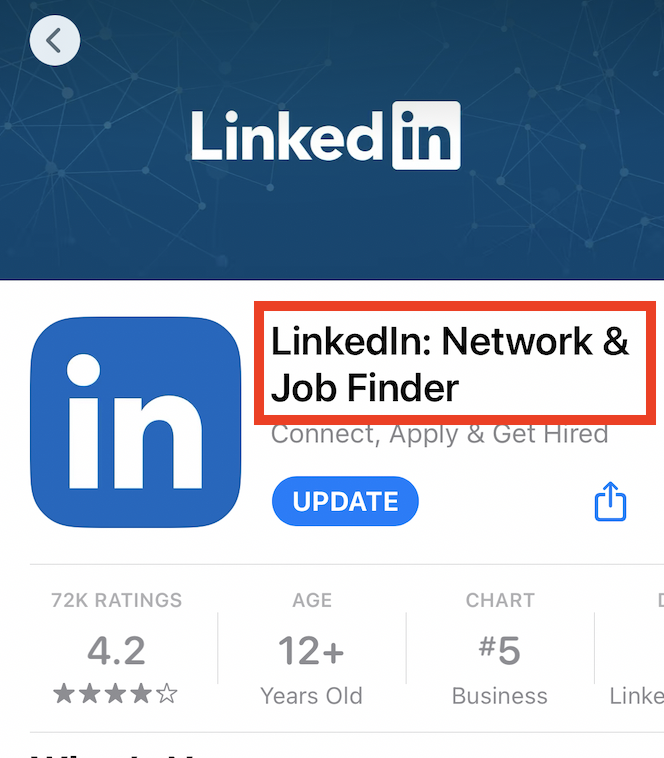
The keywords you include in your app’s title can vastly impact app store optimization because the name needs to align with your app’s function. This is where keywords come into play. You should research keywords with high search volume that strongly relate to your app’s purpose—we’d recommend choosing keywords that match intent over those with high search volume if it comes down to choosing between the two—and include the top keywords in your app title.
The key, however, is that your title should be set for the long haul. As Neil Patel says, “…changing your title too often can be detrimental. As your app begins to rank higher and gain more reviews, your app’s news will begin to spread by word of mouth. Changing the title can make it difficult for word to spread about your app.”
But remember, in both the Google Play Store and the Apple App Store, titles can only have a maximum of 30 characters.
2. Write a Detailed Description
If you couldn’t fit all of your top keywords in your app title, the app description is the perfect place to include some more keywords amidst a detailed explanation of what your app does. The description is really where you get to connect to your audience’s needs and wants by describing the functionality of your app.
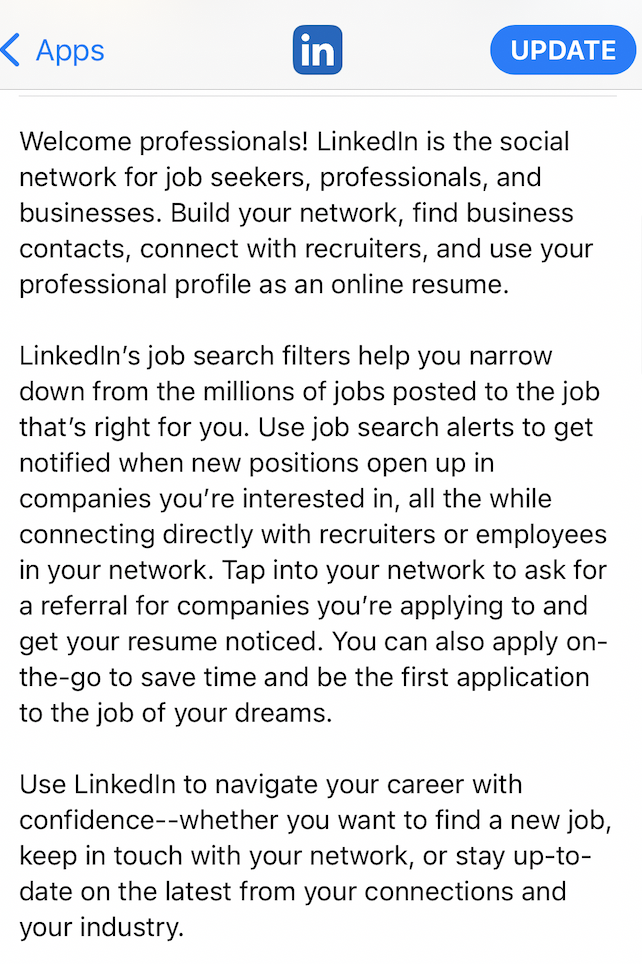
Your app description should include keywords that audiences would search for but, more importantly, it should include information about your app. What are users who find your app going to want to know? App descriptions are only 252 characters, so while keywords are important, answering audience questions should take priority.
Unlike your app title, the app description can change. It’s not immediately on display when the app is searched for, so it can evolve depending on what resonates with your audience. As Neil Patel says, “There’s no room for fluff, and you may need to A/B test several iterations to find what works best.”
3. Gather Customer Reviews
Lastly, getting customer reviews is incredibly important for app store optimization. We know that the reviews and opinions of like-minded users (peer-to-peer marketing) can influence a purchase, and that holds true for app downloads as well. According to Mobile App Daily, “90% of users go through reviews and ratings before installing an app.”
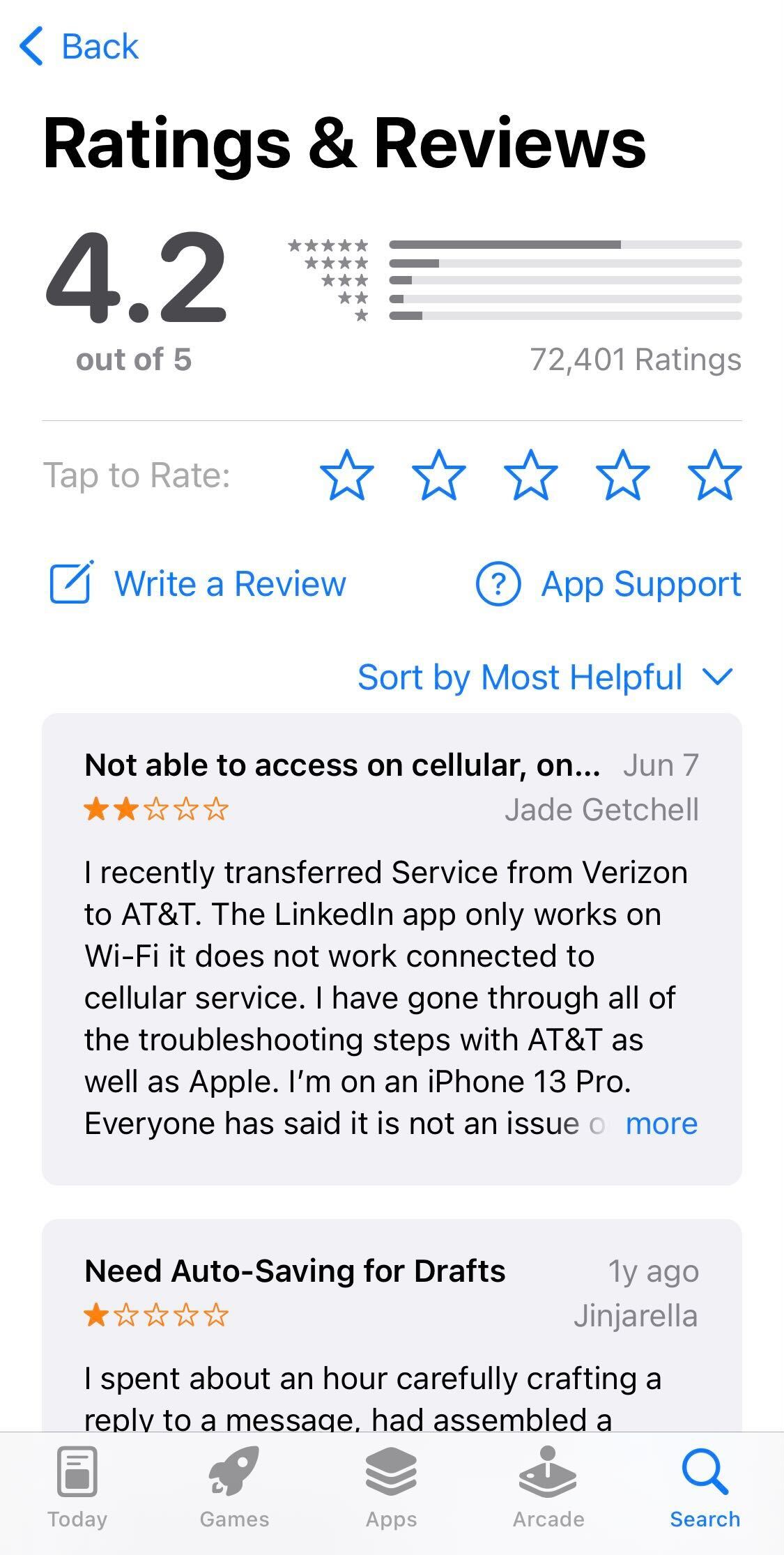
Reviews are important because users value the feedback from those similar to themselves, but not only that, app stores also value quality. Simply put, “Apps with higher ratings also ranked higher.” So, while brands should strive to get more app reviews, they also should aim to get positive reviews: a tough balance to strike.
Be sure your brand is soliciting reviews both within your app and via other marketing channels. You can request app reviews via email, on your website, etc. If negative reviews do come in, use those as an opportunity to change and grow. Like with SEO, with a focus on app store optimization, there’s always room to improve your ranking.
App Store Optimization from the Users’ Perspective
The common thread throughout all of these tips is understanding your audience and their perspective. Put yourself in their shoes and imagine they’re searching the app store. What will they type in? What additional information could they want? Does your app have reviews? If so, what reviews are they seeing?
When you have this full understanding of your user base you’ll be able to match their search intent and improve your app store ranking.
To learn more about how Iterable can improve your mobile marketing strategy, schedule a demo today.